
A Step-by-Step Guide for Temaco Web Design Clients
Overview
PHP is a programming language used by WordPress and many other websites. Keeping your website's PHP version up to date can improve security, performance, and compatibility with modern WordPress themes and plugins.
As part of maintaining your website, you may occasionally need to update your PHP version through your hosting account's cPanel.
Follow the instructions below to update your PHP version safely.
To update the PHP version for your website on Temaco Web Design, follow these steps inside cPanel:
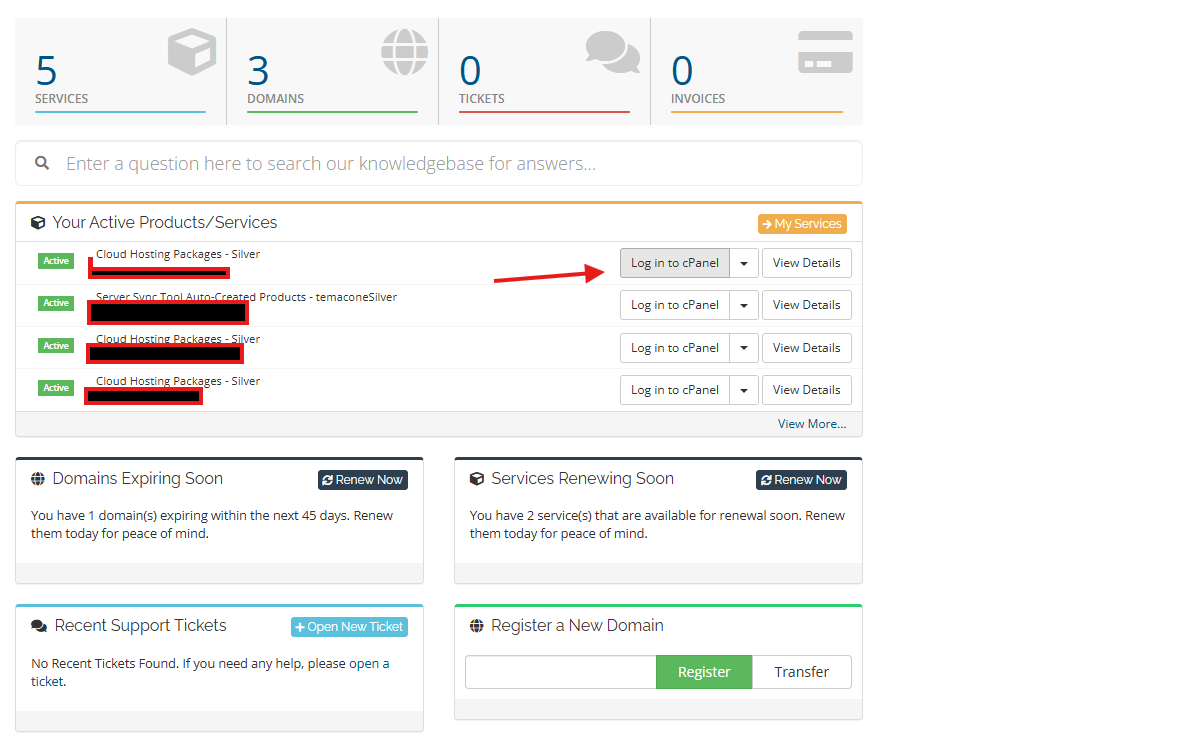
- Log in to the Temaco Client Portal.
- Navigate to your hosting package and click Login to cPanel.
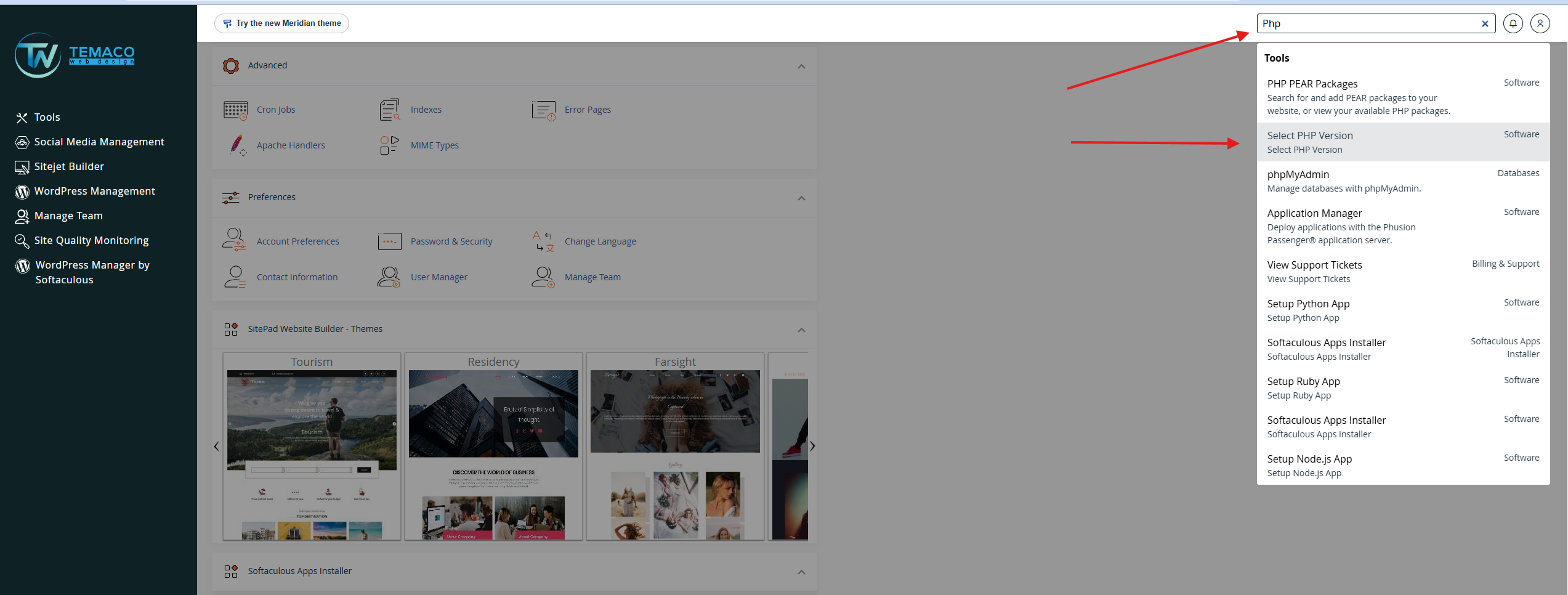
- In cPanel, use the search bar to type PHP, or scroll down to the Software section and click Select PHP Version.
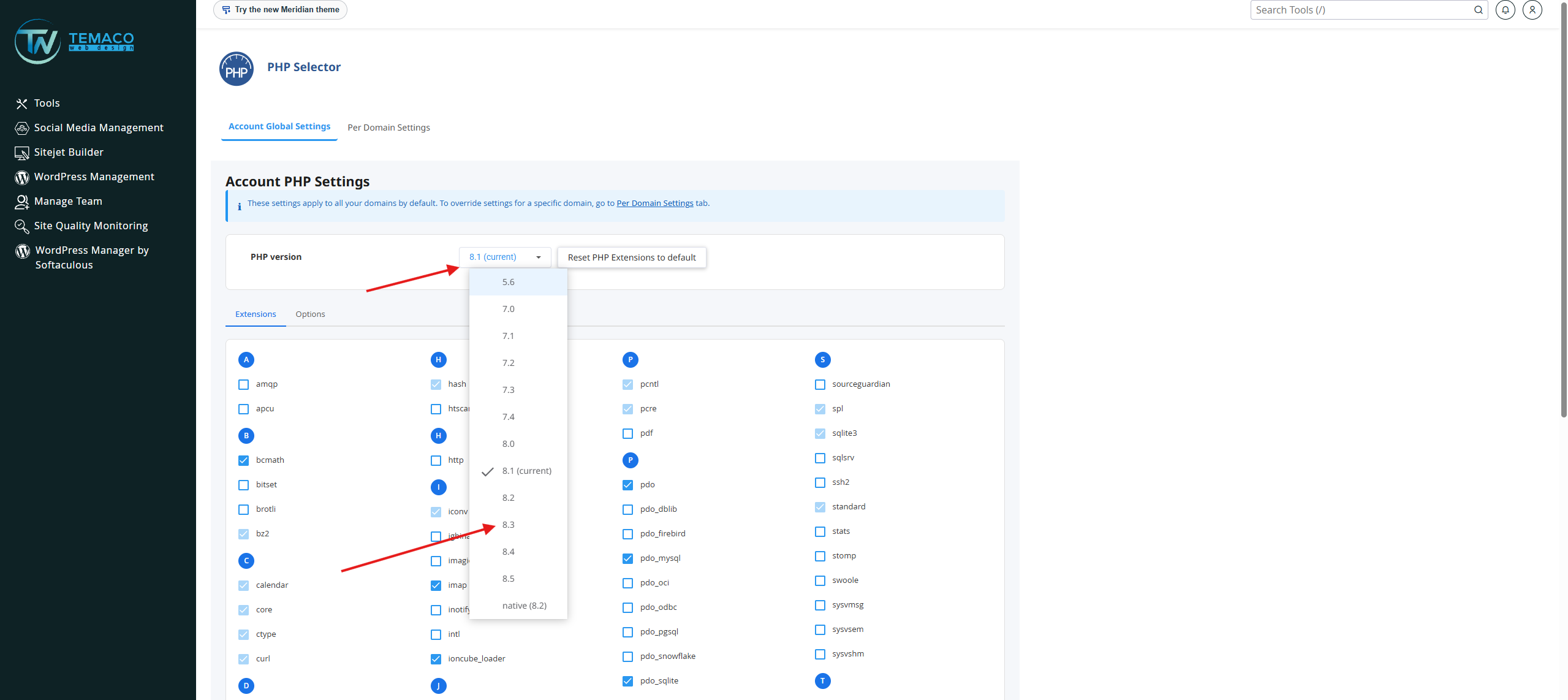
- Click the dropdown menu showing your current PHP version.
- Select the new PHP version you want to use (such as PHP 8.x).
- Click Set as current, and click Apply to save the changes.
Additional Options in PHP Selector
- Extensions: You can check or uncheck boxes to enable or disable required PHP extensions like curl, soap, or mysqli.
- Limits: Click the Options tab to change values like memory_limit, post_max_size, and upload_max_filesize.
If your website stops working properly after a PHP update, a theme, plugin, or custom code may be incompatible with the selected version.
Please follow these steps:
- Do not repeatedly change PHP versions without checking compatibility.
- Record the PHP version you selected and any error messages you see.
- Contact Temaco Web Design for assistance.
- If necessary, your website administrator can help identify the incompatible component and determine the safest recovery option.
If you can no longer access your WordPress dashboard, contact your hosting support provider or Temaco Web Design instead of making unfamiliar changes.
